
You may want to change your oboloo subscription plan. This guide will walk you through the process of managing your subscription and changing your plan from a monthly to an annual plan
Switching Plan Billing Frequency (Monthly and Annual Billing)
To switch billing frequency on your subscription , follow these steps:
1. Access Account Management: Go to the "Settings" menu on the left-hand main menu and select "Account Management."

2. Manage Subscription: Click on the "Manage subscription" button. You will be redirected to the customer portal hosted by Stripe.
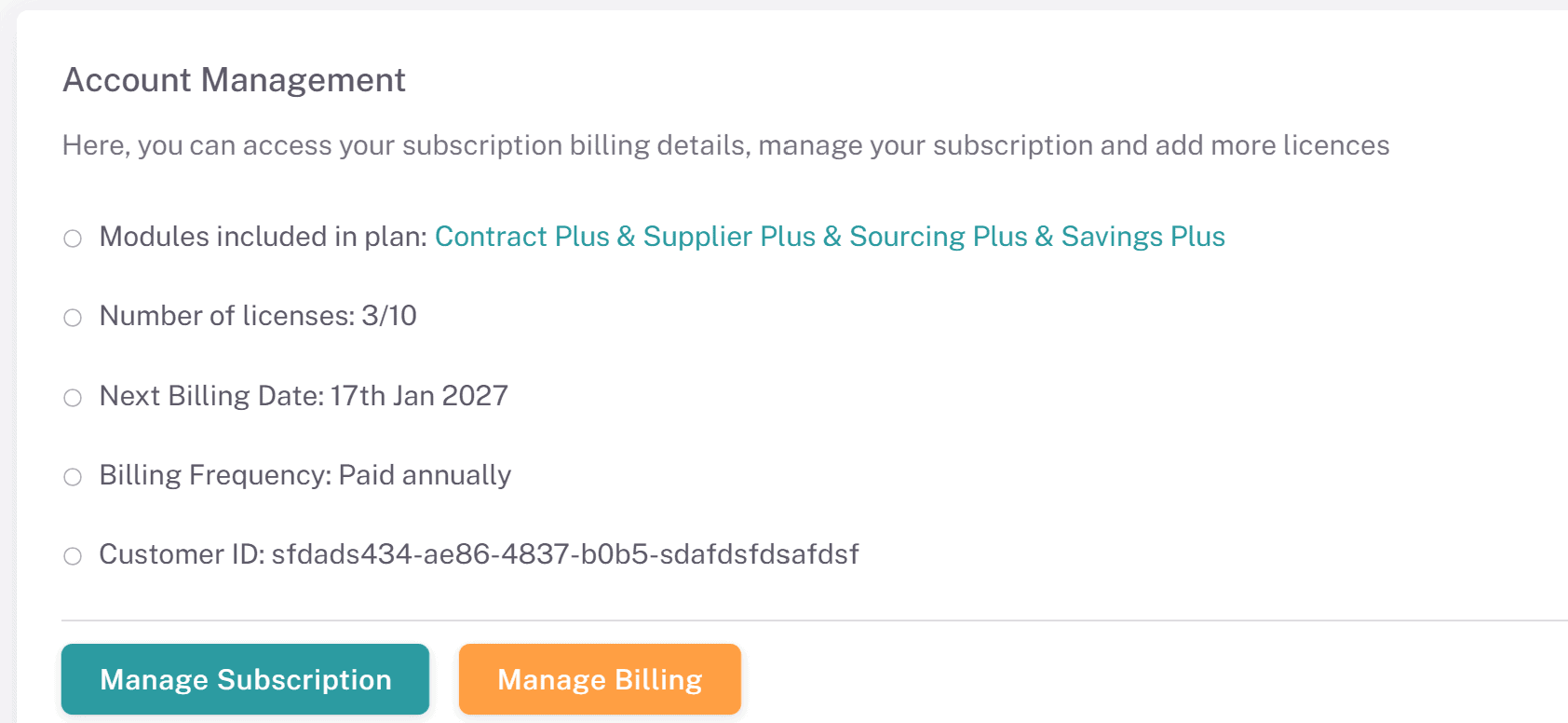
3. Upgrade Page: After clicking the Manage Subscription button, you will be redirected to the upgrade page where you can amend your organizations billing frequency, plan and license quantities.
Updating billing frequency
Scroll down to the Current Subscription card on the upgrade page

Click on the green switch billing button on this card (shown in the screenshot above). A new popup will appear
On this popup, you will need to confirm your billing frequency switch by clicking the green button. If confirmed, your organizations billing frequency will update on your next billing date. Your billing date is shown on this popup.
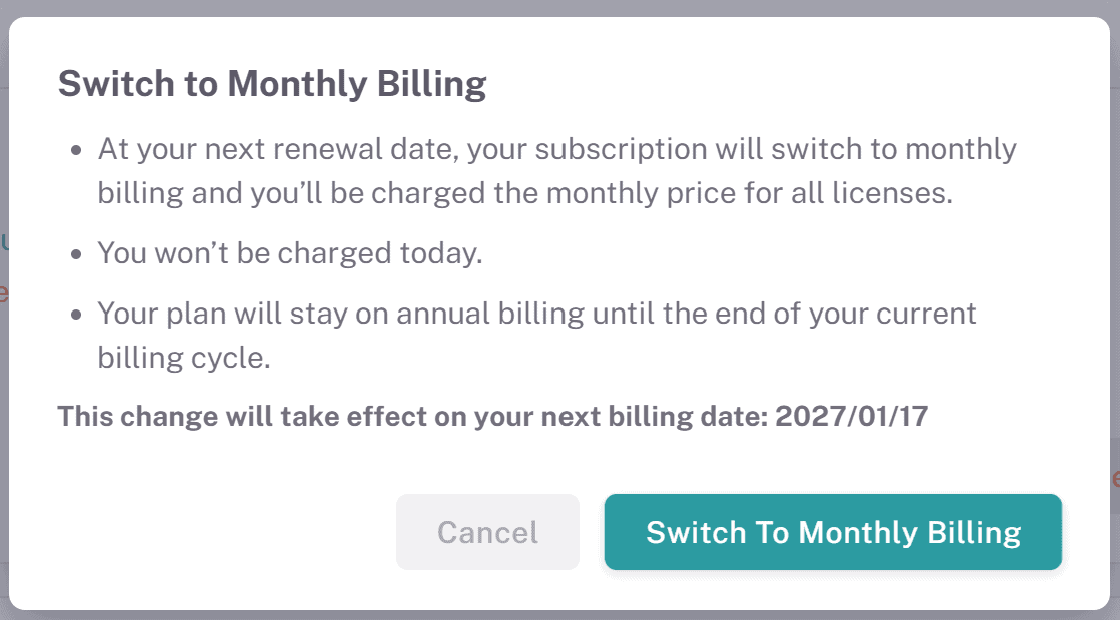
Once you have confirmed the billing frequency change, you will see it update on the upgrade page under the 'Next renewal' card. The billing frequency from your next billing date will be shown on the Billing Frequency line of this card, as shown in the below screenshot. You will also see your updated Next renewal amount total.

Cancelling Billing Frequency Switch
Before your next renewal date, you can cancel and billing frequency changes you have made. If there is a planned billing frequency change on your subscription, you will see this clearly marked on the Current Subscription card on this page, as shown below in amber text.
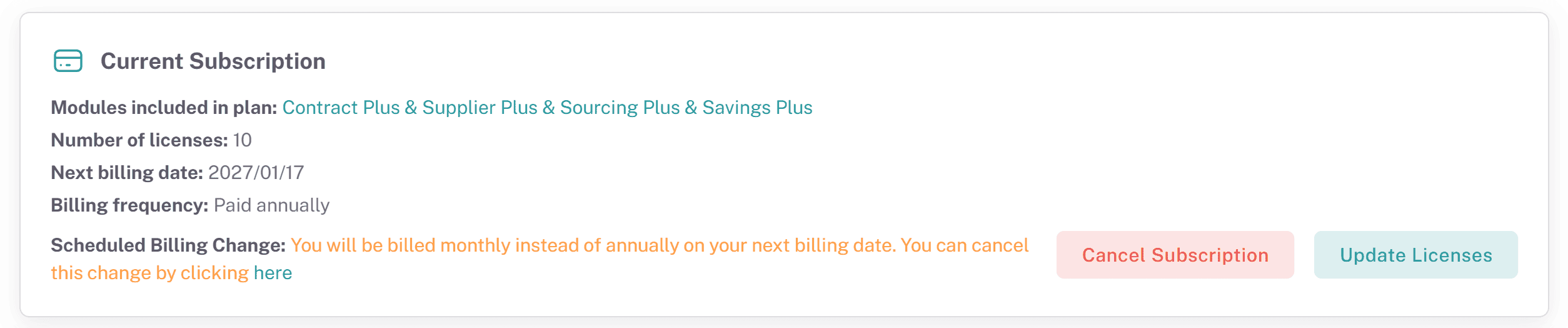
Simply click on the link at the end of this amber text
On the next popup, confirm that you want to cancel the scheduled billing cycle change
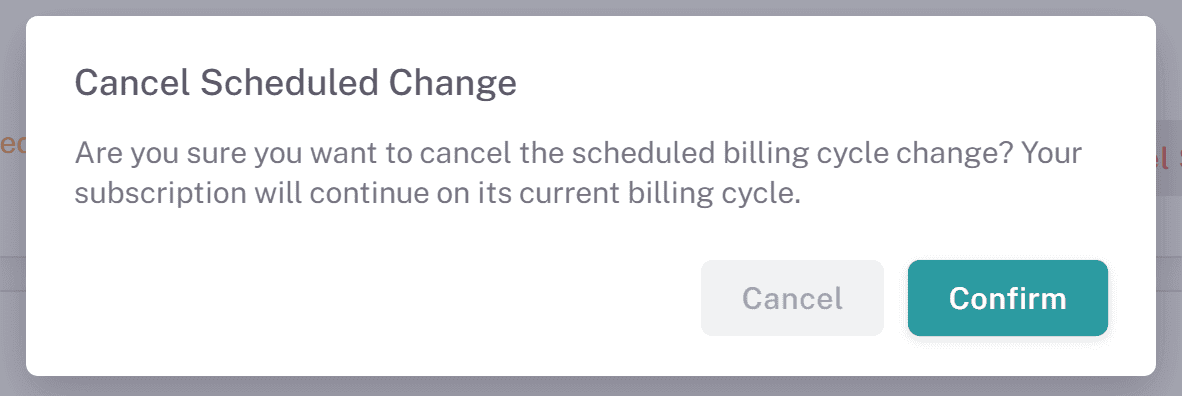
Once you click Confirm, the change will be removed and you will continue on your current billing frequency for the next billing date.
Support
Help Center: Access the Help Center from the menu for articles and FAQs.
Customer Support: If you need further assistance or need to change the primary user on the account, contact our support team via the chat widget on the bottom right corner of the screen.
Managing your billing frequency in oboloo is designed to be straightforward and flexible. If you have any questions or need assistance, our support team is here to help.
If you need further assistance, please contact your internal platform administrator for support. Otherwise please reach out to oboloo's support team. If you are unable to view the above area in the oboloo platform, please check your user permissions and access rights.